
HMTV
可实时预览的 IPTV 电视直播IPTV live TV with real-time channel previews
HMTV 是一款高颜值的鸿蒙全平台 IPTV M3U 播放器,支持直播源实时预览、频道收藏、多源配置和云存储同步,让追剧、体育和新闻直播更容易找到、更顺手播放。HMTV is a polished IPTV M3U player for HarmonyOS devices, bringing real-time stream previews, favorites, multiple source profiles, and cloud sync into one focused live TV experience.

- 流媒体协议Streaming protocols
- HLS / HTTP / RTMP
- 播放列表支持Playlist support
- M3U
- 多端同步Multi-device sync
- Cloud
直播源预览、播放和管理都在一个地方。Preview, play, and manage live sources in one place.
HMTV 面向追剧爱好者、体育迷和新闻用户,把频道预览、直播播放、M3U 列表和配置同步做成一个连贯体验。Built for drama fans, sports watchers, and news followers, HMTV turns channel previews, live playback, M3U playlists, and sync into a single smooth workflow.
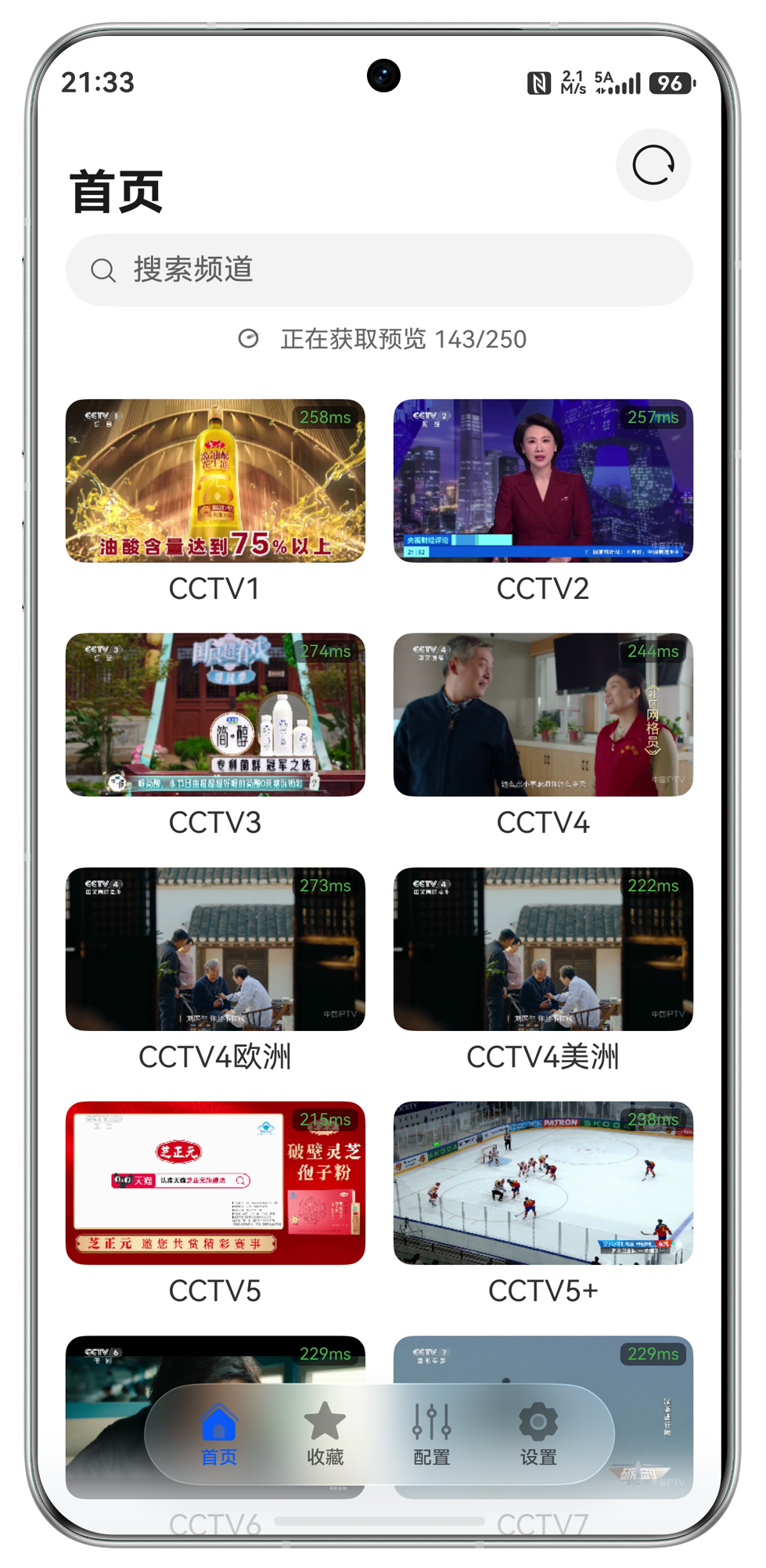
实时预览直播源Real-time previews
频道列表直接显示当前播放画面和延迟,找台不用反复点进点出。Preview what every channel is playing before you open it, with latency shown right in the grid.
流畅播放能力Reliable playback
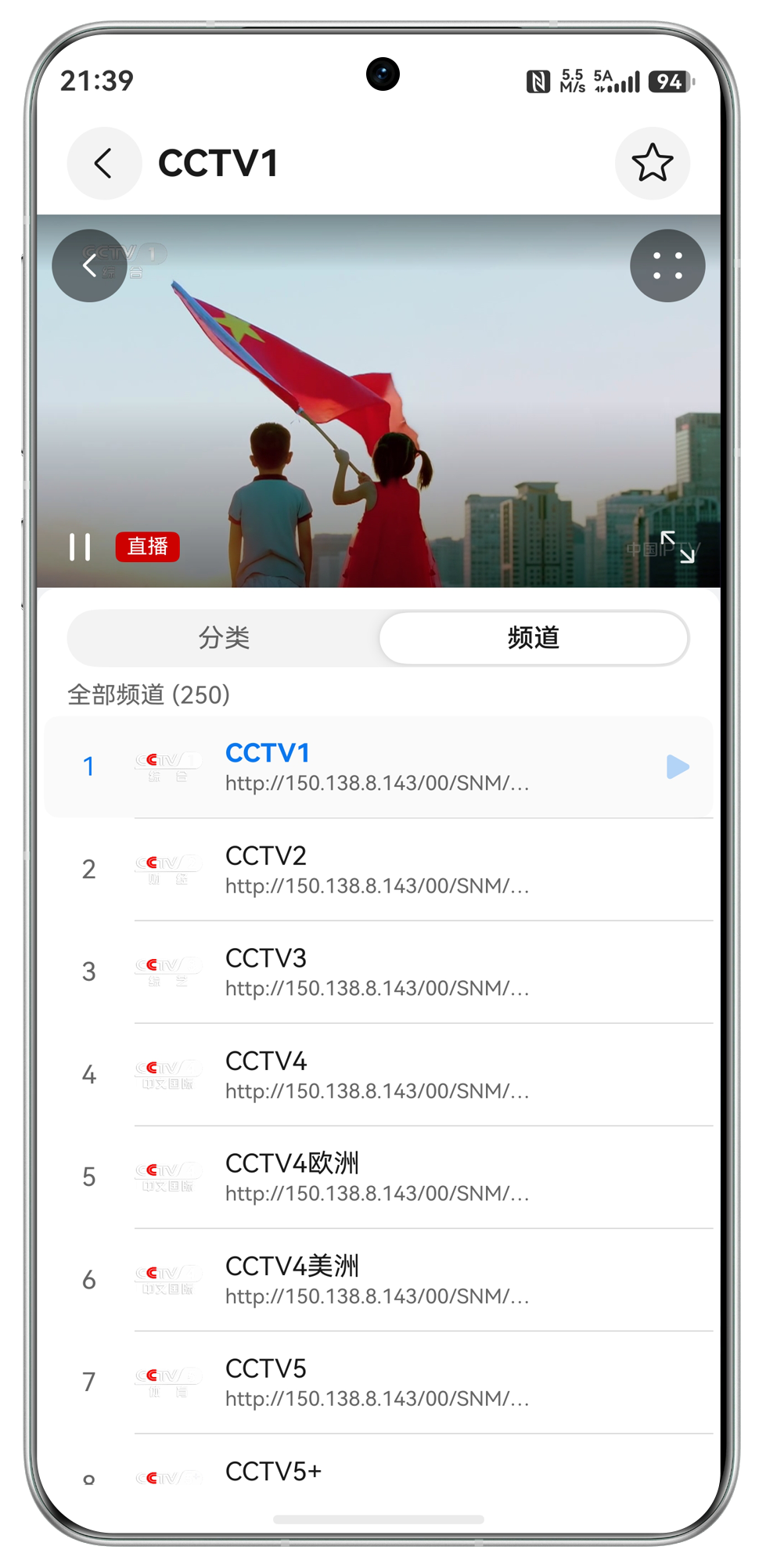
支持 HLS、HTTP、RTMP 等直播协议,播放页聚焦内容,也支持画中画。Play HLS, HTTP, and RTMP streams in a focused viewer with picture-in-picture support.
IPTV 配置管理IPTV source management
管理 M3U 播放列表、收藏频道和多套直播源配置,适合手机、平板、电视和电脑。Manage M3U playlists, favorite channels, and multiple source profiles across phone, tablet, TV, and desktop.
围绕 IPTV 使用场景打磨的完整工具箱。A focused toolkit for everyday IPTV watching.
从播放协议、频道管理到云端同步,HMTV 让直播源配置在不同设备间更好维护。From playback protocols and channel organization to cloud sync, HMTV keeps your live source setup easier to maintain.
多协议播放Multi-protocol playback
HLS、HTTP、RTMP 等常见流媒体协议都能顺手播放。Play common streaming protocols including HLS, HTTP, and RTMP.
M3U 播放列表M3U playlists
导入和维护 IPTV 播放列表,把频道源整理得更清楚。Import and maintain IPTV playlists with cleaner source organization.
画中画Picture-in-picture
看直播时也能切换任务,让直播内容保持在前台。Keep live content visible while switching to other tasks.
频道收藏Favorites
常看的频道快速收藏,回到直播时不用重新查找。Favorite the channels you watch often and return to them quickly.
多源配置Multiple sources
为不同场景保存多套配置,切换直播源更轻松。Save multiple source profiles for different watching scenarios.
云存储同步Cloud sync
高级版支持多端同步,手机、平板、电视和电脑都能延续同一套配置。Premium sync keeps the same setup across phone, tablet, TV, and desktop.
打开 HMTV,直接预览直播世界。Open HMTV and preview live TV instantly.
从 AppGallery 下载后即可添加直播源,管理 M3U 配置,并在多端同步你的频道列表。Download from AppGallery, add your live sources, manage M3U profiles, and sync channels across devices.
用户说,找台终于不用靠猜。Viewers say channel hunting finally feels simple.
来自真实使用场景的反馈,集中在实时预览、多端支持和云同步。Feedback centers on live previews, cross-device support, and cloud sync.
从免费体验到永久解锁。From a free start to lifetime access.
免费版可使用一个配置,升级后可管理多个配置并启用多端同步。Use one profile for free, then upgrade for multiple profiles and cloud sync.
免费用户Free
¥0
适合先体验 HMTV,支持一个配置。Start with HMTV and keep one source profile.
- 一个配置One profile
- 基础播放Basic playback
- 频道预览Channel previews
月付Monthly
¥6
适合短期使用,多套配置随时切换。Use multiple profiles with a flexible monthly plan.
- 多个配置Multiple profiles
- 频道收藏Favorites
- 云同步Cloud sync
年付Annual
¥29.99
一年安心使用,适合家庭多设备观看。Best value for a year of family viewing across devices.
- 多个配置Multiple profiles
- 多端同步Multi-device sync
- 更高性价比Better value
永久Lifetime
¥38
一次购买,长期解锁多个配置。One purchase for long-term access to multiple profiles.
- 多个配置Multiple profiles
- 永久解锁Lifetime unlock
- 长期使用Long-term use
常见问题Frequently asked questions
这里整理了直播源配置、云同步和多设备使用时最常见的问题。Answers for stream setup, cloud sync, and cross-device use.
m3u 和 m3u8 有什么区别?What is the difference between m3u and m3u8?
m3u8 是 UTF-8 版本的 m3u 文件。可以简单理解为:m3u 通常是一组频道列表,m3u8 则更常见于单个直播频道地址。m3u8 is the UTF-8 version of an m3u file. In simple terms, m3u is often used as a playlist, while m3u8 is commonly used for an individual live stream URL.
如何在 HMTV 中添加 m3u8 文件?How do I add an m3u8 link in HMTV?
先在配置中心添加一个空白配置并应用,然后回到频道列表页面,点击右上角的加号添加 m3u8 链接。Create and apply a blank profile in the configuration center, then return to the channel list and tap the plus button in the top-right corner to add the m3u8 link.
为什么我的配置被清空了?Why did my configuration disappear?
如果退出、切换华为账号,或关闭应用的华为云同步功能,华为可能会清空本地数据,但不会清空云端数据。重新开启同步即可恢复。未开启同步时,重新安装 App 后配置无法找回。If you sign out, switch Huawei accounts, or disable Huawei Cloud sync for the app, local data may be cleared while cloud data remains. Turn sync back on to restore it. Without sync enabled, configurations cannot be recovered after reinstalling the app.
如何开启 HMTV 的华为云同步?How do I enable Huawei Cloud sync for HMTV?
打开系统设置中的华为云相关设置,分别确认 HMTV 和华为云同步开关都已开启。Open the Huawei Cloud settings on your device and make sure both HMTV and Huawei Cloud sync are enabled.
为什么配置无法在两个设备中同步?Why are two devices not syncing?
请确认已升级到 HMTV 高级版、每台设备均已恢复购买、登录同一个华为账号、开启华为云同步,且应用内华为云状态为“已启用”。同时检查华为云空间是否已满。Make sure you have upgraded to HMTV Premium, restored purchases on each device, signed in with the same Huawei account, enabled Huawei Cloud sync, and confirmed that the app shows Huawei Cloud as enabled. Also check whether your cloud storage is full.
智慧屏无法同步怎么办?What if a Vision device will not sync?
可尝试重新登录华为云账号,检查是否设置了默认用户;多数智慧屏不同步都与默认用户有关。仍无法同步时,可拔掉电源断电重启。Try signing in to Huawei Cloud again and check whether a default user is configured. Most Vision sync issues are related to the default user setting. If it still fails, power-cycle the device by unplugging it.